The job app for small building firms

Every job, in one place.

The crew clock on, take photos and log snags from their phones, even with no signal. The office sees the hours, the costs and the invoices without chasing anybody.

A made-up building firm, all yours for a day. No card, nothing sent to anyone.

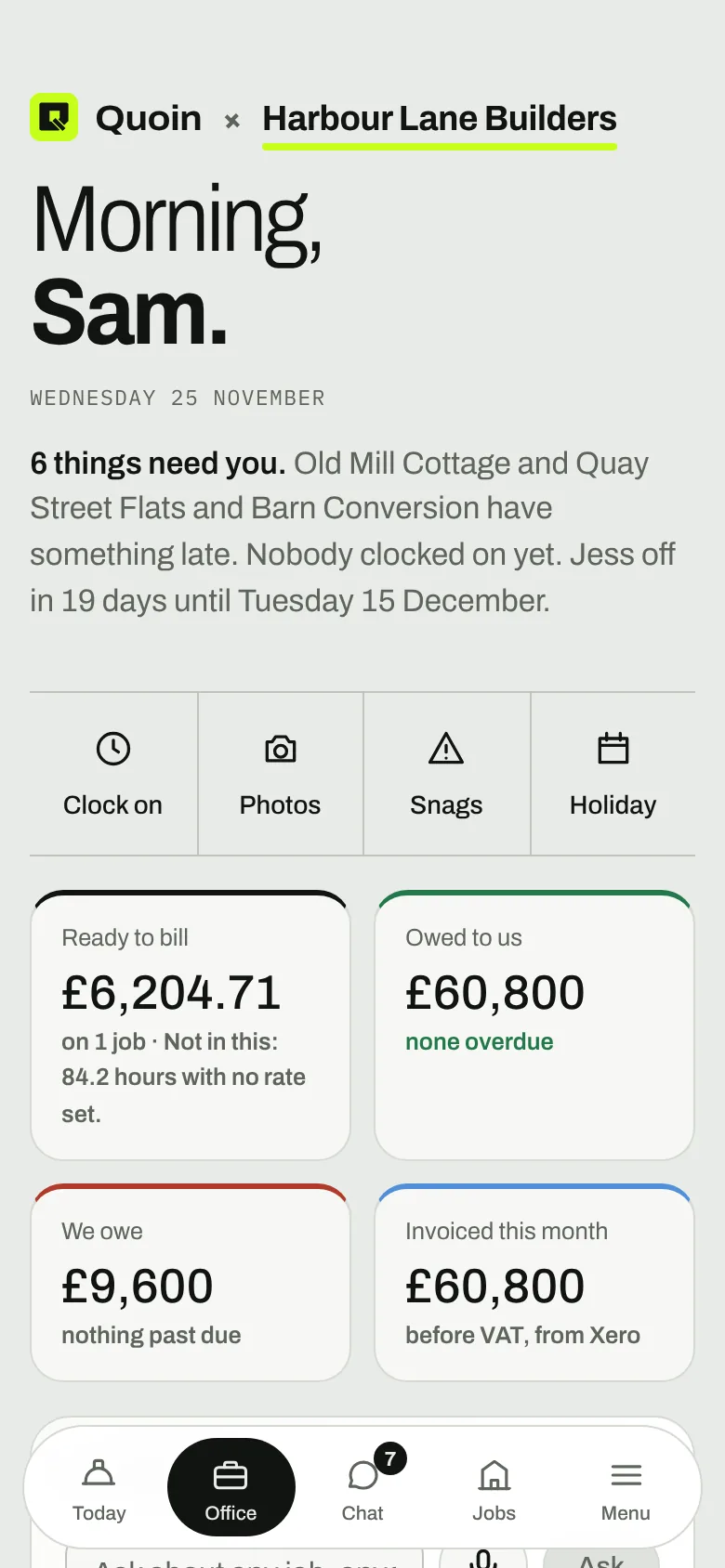
Quoin's office screen on a phone: what needs the director today, the quick buttons, and the money in and out
Fig. 1 The office screen, as a director sees it first thing

No signal Hours and photos wait on the phone and send themselves

Plain words Nothing to learn for a man stood on a roof

One price For the whole firm, not per person

30 days Free on every plan

What it does

From the first photo to the last invoice.

Detail 01

On site

Built for a phone in a gloved hand, on a roof, on one bar.

  • Clock on and off, with where and when
  • Photos straight to the job, dated from the photo itself
  • Snags with a picture, sent to the trade to fix
  • The latest drawings, marked up on the phone
  • A chat for every job, trades included
Detail 02

In the office

The week adds itself up. Nobody chases a timesheet.

  • Hours to timesheets, added up by job and by person
  • Job costs read from Xero, QuickBooks or Sage
  • Bills and invoices filed to the right job
  • Purchase orders raised on site, signed off over your limit
  • Tenders, variations and provisional sums

Detail 03

Safety

The paperwork a site needs, done on the phone, kept for good.

  • Inductions signed before anyone starts
  • Site forms and checks, with what is due
  • The accident book
  • Who is on site right now, visitors included
  • Everything dated, signed and findable later

Detail 04

Ask Quoin

Ask it like you would ask the office, and it answers from your own jobs.

  • "How many hours on the Quay Street job this month?"
  • Emails read and papers filed to the job
  • To-dos picked out of the job chat
  • A walk-round written up from photos
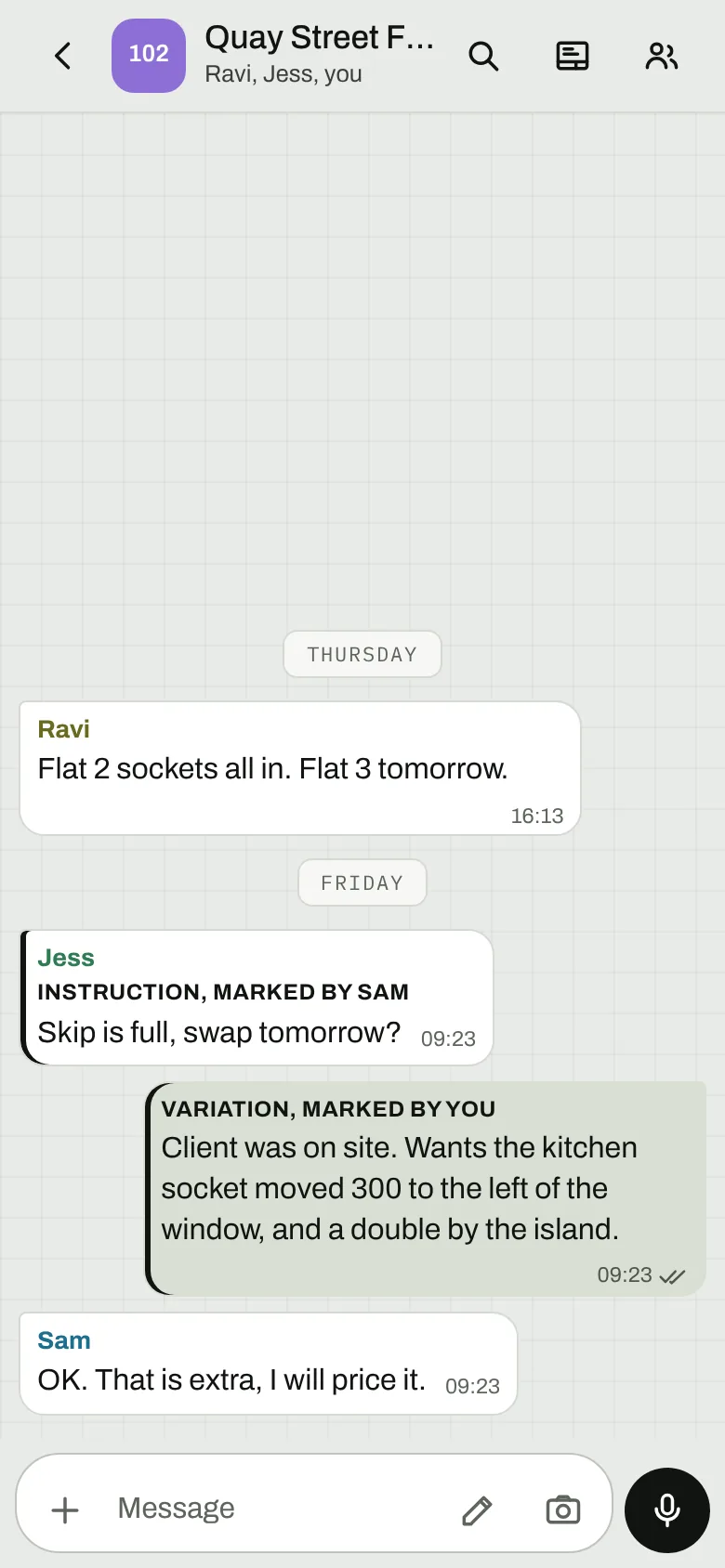
A job chat: the crew, a variation the client asked for, marked so it gets priced
The job chat
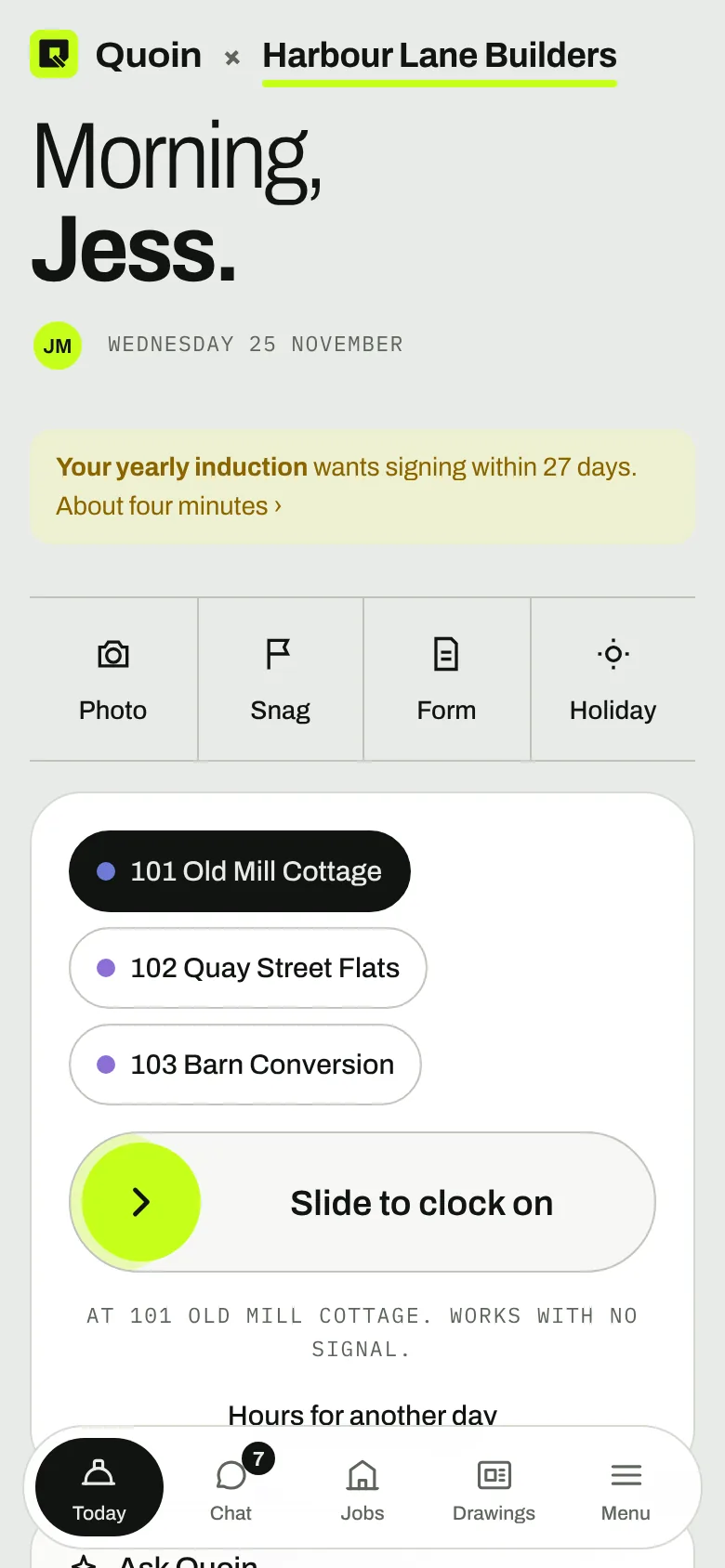
The crew screen: slide to clock on, which works with no signal
Clock on, no signal needed
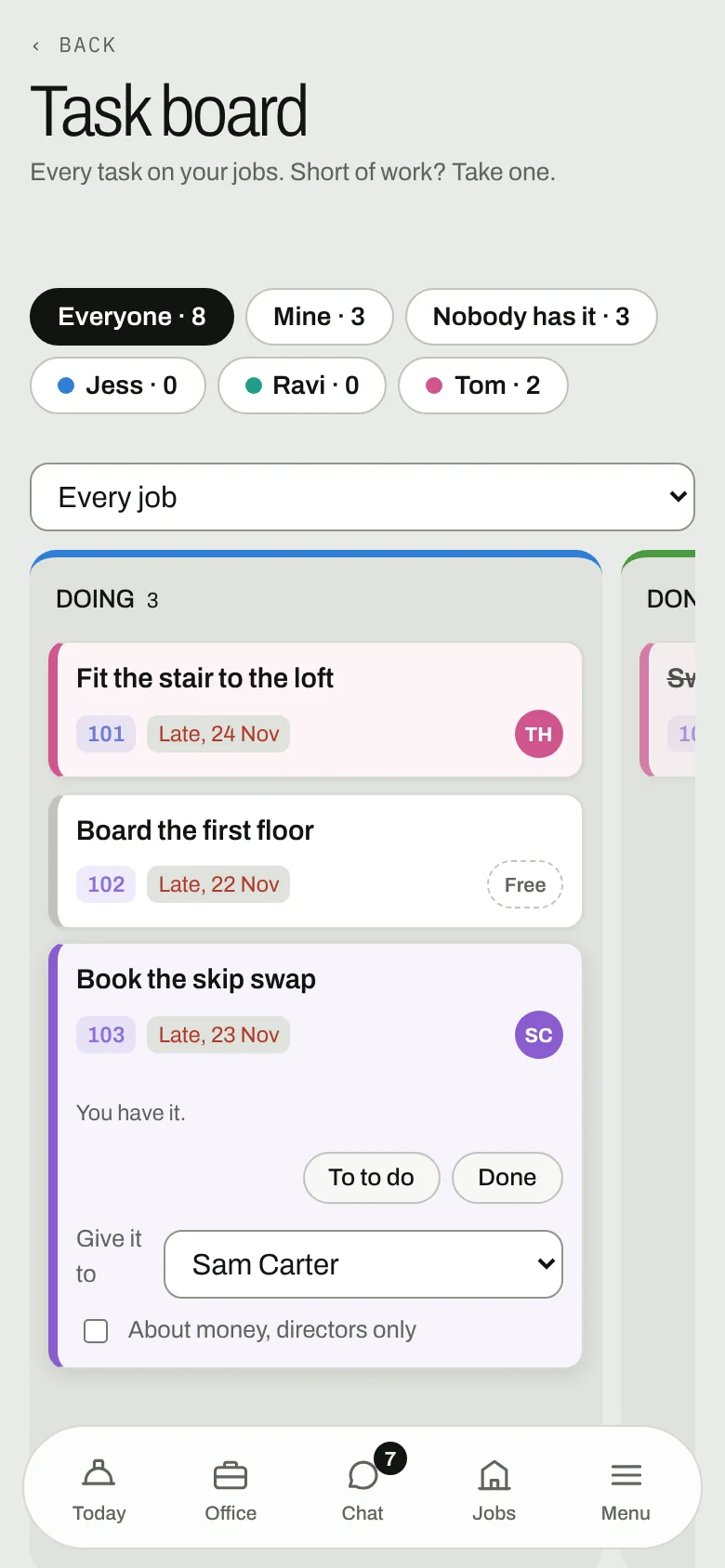
The task board: every task on every job, who has it and what is late
The task board

Works with what you already use

  • Xero
  • QuickBooks
  • Sage
  • Google Drive
  • OneDrive
  • Dropbox
  • Gmail
  • Outlook

Your books stay in your accounts and your papers in your own files. Quoin reads them and files to them; it does not replace them.

Prices

One price a month for the firm.

Pick the plan that fits, add a pack if you need one part of the next plan up, and change it yourself in Settings whenever you like.

Hours

£75 a month

Up to 10 people

Clocking on, hours, timesheets, holiday and the task board

Site

£199 a month

Up to 10 people

Everything on site, purchase orders and the office overview

A good start

Office

£299 a month

Up to 30 people

Adds job costs, invoices, tenders, email filing and Ask Quoin

Firm

£399 a month

50 people, then £5 a month for each one more

Adds the photo safety check and walk-round reports

Packs, on any plan

Site pack £99 a month
Job chat, drawings, forms and checks, inductions, the accident book, photos, snags, On site now
Purchase orders £49 a month
Raised on site, signed off over your limit, sent to the merchant
Office pack £129 a month
Job costs and invoices from your accounts, tenders, house files, agreeing the week
AI pack £119 a month
Email filing, Ask and Tell Quoin, to-dos from chat, the QS, the photo safety check, walk-round reports
  • 30 days free. A card goes in at the start and nothing is taken until they are up.
  • A year up front is twelve months for the price of ten.
  • Set-up: do it yourself, or we do it for you for £249. Free with Firm paid for the year, half with Office.
  • Prices are before VAT, where it applies.

Questions

What firms ask first.

Does it work with no signal?

Yes. Clocking on, photos, snags, forms and to-dos are kept on the phone and send themselves when signal comes back. The phone says how many are waiting.

What phone do the crew need?

Any phone with a browser, and any computer in the office. The iPhone app is on its way to the App Store.

Who sees what?

The crew see their own hours and their jobs. Foremen see their sites. Money, tenders and costs are for directors only. It is enforced in the database itself, not just hidden on the screen.

Where is our information kept?

In Ireland, in the EU, with every firm's kept apart from every other's. Your papers are filed into your own Drive, OneDrive or Dropbox. Quoin is run under Jersey data protection law.

How long does it take to set up?

The first sign-in walks you through it a step at a time: your firm, your people, your rates and your jobs. Or we set it all up for you.

Can we stop?

Any time, in Settings. You keep Quoin to the end of what you have paid for, and your firm is deleted within 90 days of stopping.

Have a go on a made-up firm.

Jobs, crew, hours, chat, money and safety, all filled in and all yours for a day.

Try the demo